QR & Barcode Scanner
- 4.8
- Rating
- 500.00M
- Installs
- Free
- Price

 Analysis by App-foxy
I reach for QR & Barcode Scanner when I need to turn something printed into useful information without typing a long string by hand. A menu, parcel label, product box, event ticket, or Wi-Fi card can all create the same small problem: the information is there, but entering it accurately takes time. This free tools app from Gamma Play is built around removing that extra step, and after using it in those ordinary situations, I found its appeal is less about decoration and more about getting from camera view to result quickly.
That straightforward purpose has helped it become one of the most widely used scanning tools on Android. It carries a 4.8 average from around 3.9 million ratings, with over 500 million installs. Those figures do not make every scan perfect, but they do suggest that the app has remained useful across a very large range of phones and everyday situations. It is rated for Everyone, so its basic role is easy to understand even for someone who has never used a scanner app before.
From a printed code to a useful result
I find the useful question is not just whether a code scans, but who will use the result and what happens next. In a shared household, agreeing on that next step—such as checking a parcel number before passing it along—can prevent confusion without turning a simple scan into a shared account or record-keeping system. That distinction leads into the practical boundaries worth setting before several people use the same device.
In-Depth Coverage of QR & Barcode Scanner
Starting with the situation in front of you
The best way to judge this app is to follow a complete task rather than simply point out that it recognizes codes. Imagine I am standing in a shop with a boxed accessory in my hand. I want to compare its information with another product, but the barcode is too long to enter manually. I open the app, aim the phone at the label, and let the scanner handle the part that would otherwise be slow and error-prone.
This is where its focused design makes sense. It is not trying to be a shopping platform, a document editor, or a social tool. It is a small utility in the Tools category whose job begins with the camera and ends with the information connected to the code. For a person who scans only occasionally, that narrow purpose is reassuring: there are fewer unrelated screens to learn before getting to the actual task.
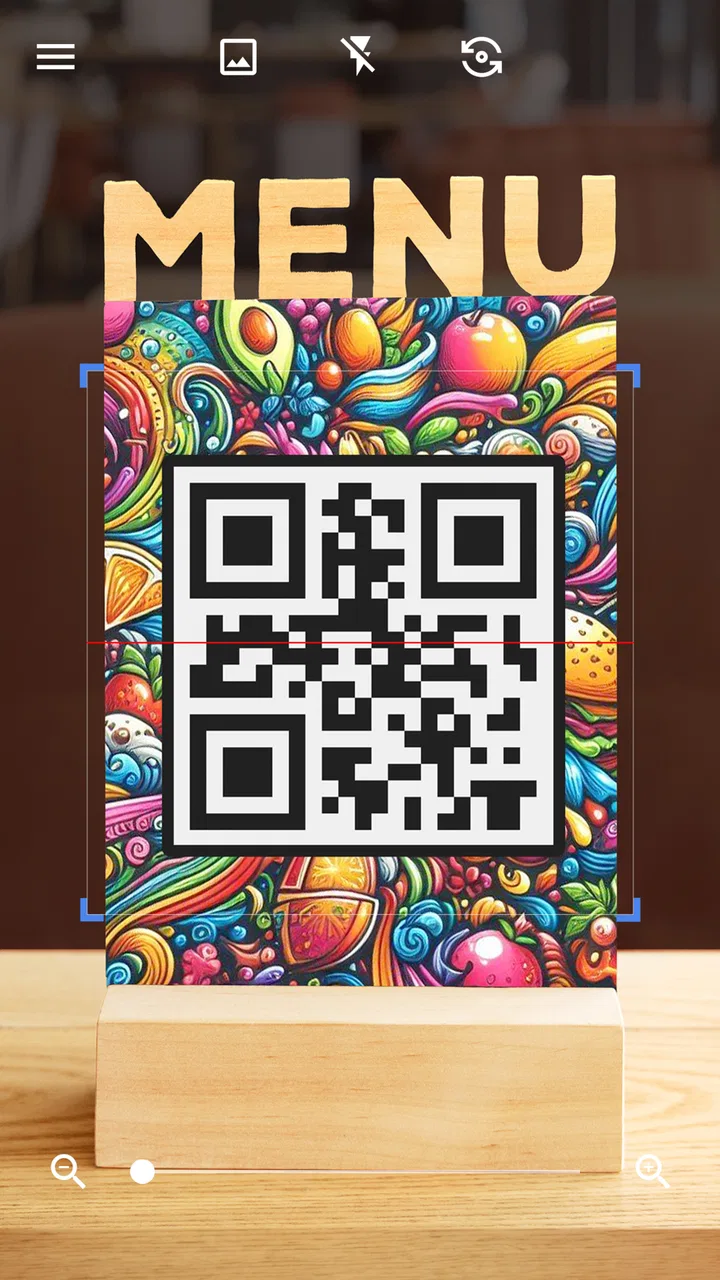
The same starting point works outside a shop. At a café, a QR code may open a digital menu. At a conference, it may lead to registration information. At home, a code on packaging may contain a product page or instructions. In each case, the useful question is not merely whether the image is recognized, but whether the handoff from the physical object to the next action is smooth.
The scan itself
I treat the camera preview as a framing exercise rather than waving the phone around. Holding the device steady, filling enough of the view with the code, and avoiding strong reflections usually gives the scanner a better chance to read it. This matters especially with glossy packaging, curved labels, or a code printed very close to other visual elements. The app can be fast, but it cannot correct a code that is hidden by glare or badly damaged.
For a clean QR code on a bright screen, the experience feels almost immediate. I do not need to type characters, select a format, or decide whether the pattern is a QR code before trying. With a traditional barcode, the result depends more on the quality of the printed lines and the distance from the camera. A slightly angled box or a narrow label may require a small adjustment, which is normal for this kind of tool rather than a sign that the app is malfunctioning.
One practical tip is to change the environment before blaming the scanner. If a screen is reflecting a ceiling light, tilting the display can help more than moving the phone closer. If a parcel label is in shadow, adding light from the side is often better than using the phone at an extreme angle. These small changes reduce the most common friction in the input stage and make the app feel much more dependable.
What happens after recognition
Recognition is only the midpoint. Once the code is read, I still need to understand what the result represents and decide what to do next. A web address should be treated differently from plain text, a contact detail, or a product identifier. I prefer to pause long enough to inspect the destination before continuing, particularly when the code comes from an unfamiliar poster, package, or public surface.
This is an important distinction between a scanner and a complete workflow. The app can interpret the code, but I remain responsible for judging the result. If the scan produces a link, I would not assume that the destination is trustworthy merely because the code was readable. If it produces text, I may need to copy it into another app. If it identifies a product, I may still need a separate search or shopping service to compare sellers and prices.
You May Also Like

 Pandora - Music & Podcasts
Pandora’s Music Is Easy to Start, but Harder to Recover
Pandora’s strength is its low-effort path from a seed to a station. Its weak spot is how much confidence it asks you to place in connection, setup, and quiet recovery.

 AccuWeather: Weather Radar
AccuWeather Review: A Quick, Clear Forecast for Everyday Decisions
For everyday plans, the best forecast is the one you can understand quickly. AccuWeather makes rain timing, radar, and local conditions easy to act on, with a few trade-offs.

 Hill Climb Racing
Why Hill Climb Racing Still Turns Crashes Into One More Run
A tiny car, a bumpy hill and one more upgrade: Hill Climb Racing keeps resurfacing because its simple chaos makes every near-miss feel personal.

 AliExpress - Shopping App
AliExpress Makes Global Shopping Feel Personal, but Shoppers Bear the Risk
AliExpress turns a global marketplace into a pocket-sized discovery engine. Its reach is useful, its shopping loop compelling, and its trade-offs easy to miss.

 Lords Mobile: Kingdom Wars
Lords Mobile Is a Kingdom-Building Routine, Not a Quick Match
A case-by-case verdict on the building, battles, device demands, and social commitments that make Lords Mobile rewarding for some players and exhausting for others.

 PDF Scanner app - TapScanner
TapScanner Makes Paperwork Easier to Capture, Check, and Share
TapScanner makes scanning with a phone feel less like a rescue operation and more like a dependable step in getting work done. Its capture tools are useful, though not flawless.
More From Our News Desk
View All News


That handoff is both a strength and a limitation. The scanner gets me past the tedious input stage quickly, while the next app handles research, browsing, saving, or sharing. I would rather have that clear separation than a scanner that tries to force every result into one crowded interface, but users expecting a full product database or a built-in comparison tool may find the experience unfinished.
A realistic handoff at home
Consider a different example: I receive a small parcel with a barcode on its label and want to identify the number without mistyping it into a note. I scan it, check the recognized content, and then move that result into the tracking or notes app I actually use. The important outcome is not the scan animation; it is the clean transfer of information into the next step.
For this workflow, I recommend checking the result before sharing it. A barcode may be only an identifier, but a QR code can contain a complete web address or other text. If I am sending the result to a friend, entering it into a form, or using it for a purchase, a quick visual check catches mistakes caused by glare, partial framing, or a code that was not the one I intended to scan.
This also explains why the app is useful for people who do not scan every day. It can sit quietly as a purpose-built utility and become valuable at the exact moment manual entry becomes annoying. I do not need to build a catalog of scanned items to benefit from it; I can simply use it as an input bridge when a physical code is in front of me.
Where it compares well with usual alternatives
Many phones can recognize QR codes directly through the default camera, and that is often the first alternative I try. The built-in camera is convenient because it is already installed and may be enough for a simple web link. If my only need is to scan an occasional QR code from a bright screen, adding a separate app may not change much.
Where this dedicated scanner makes more sense is when I want a tool whose identity is clear: open it specifically for code reading rather than hoping the camera notices the pattern. That can be useful on devices where camera recognition is inconsistent, or for people who prefer a separate utility for this task. Its long presence since March 2015 and broad adoption also make it feel like an established choice rather than a newly discovered experiment.
Specialized shopping apps are a different comparison. They may offer richer product searches, retailer comparisons, or purchase-oriented results, but they also bring a larger workflow and a narrower purpose. I would choose this scanner when I first need accurate code capture and want to decide later which service should handle the result. I would choose a shopping-focused tool when price discovery is the main goal from the beginning.
There is also a privacy and trust judgment at the handoff stage. A scanner that sends me straight toward an unfamiliar destination is not automatically better than one that leaves the decision visible. My preferred habit is to inspect the recognized text or address, then continue only when the source and destination make sense. That is a user practice, not a claim that scanning itself makes a destination safe.
Useful habits that improve the workflow
The first non-obvious habit is to scan the code in its original context whenever possible. A code on a box may be tied to the product information around it, while a code copied into an unrelated image can be harder to interpret correctly. Keeping the packaging, ticket, or sign in view helps me confirm that the result belongs to the object I intended to scan.
The second is to separate recognition from action. I do not immediately tap through every result. I first ask whether the output looks like what I expected: a short identifier for a barcode, a recognizable address for a web QR code, or sensible text for an information label. This two-stage approach is especially useful when scanning public codes, because readability and trust are separate questions.
The third is to use a stable surface for difficult barcodes. When a label is on a flexible parcel, I place or hold it as flat as possible before scanning. That reduces distortion across the lines and avoids repeated attempts. With a phone screen, I lower reflections by changing the angle rather than pressing the camera close to the display. These are simple adjustments, but they make the difference between a quick result and a frustrating loop.
A fourth useful insight concerns the next app. Before scanning a code for a form, tracking service, or note, I decide where the result needs to go. That prevents the common situation in which I recognize the code successfully but then lose time switching between apps or retyping the output. The scanner is most effective when it is treated as one step in a planned chain, not as the entire solution.
Where the flow breaks
No camera scanner can guarantee a result from every physical code. Heavy glare, low contrast, torn labels, tiny printing, curved surfaces, and motion all create problems. I have found that patience helps only up to a point; after a few failed attempts, changing the lighting or flattening the item is usually more productive than repeatedly moving the phone.
The app is also not the right choice for every user. Someone who needs inventory management, batch processing, detailed scan history, or advanced business reporting should look for a dedicated inventory or logistics product instead. A person who mainly wants automatic price comparisons may be better served by a retailer or shopping app. And if the phone’s built-in camera already handles occasional QR links perfectly, a separate scanner may add little value.
Another limitation is the boundary between reading and acting. The tool can save me from manual entry, but it does not remove the need to evaluate links, confirm text, or choose the correct service afterward. That is not a flaw in the basic scanning idea, although it can feel like one if I expect a single tap to complete a complicated task. The most honest description is that it is a fast doorway into the next action, not a replacement for every app that follows.
Who should install it
I would recommend it to anyone who regularly encounters printed or displayed codes and wants a dedicated, uncomplicated way to read them. It is particularly suitable for people who dislike typing long identifiers, users whose default camera is unreliable at recognizing QR patterns, and households that need an occasional utility without paying for it. The free price makes trying it low-risk, while the Everyone age rating keeps its purpose accessible to a broad audience.
I would be more selective for users who already have a dependable camera scanner and rarely need anything beyond opening a link. In that case, the extra app may not improve the result. I would also steer professional users toward software designed around their full process if scanning is only the first part of a larger operation involving records, stock, or repeated exports.
My final take after following the whole path
What I like most about QR & Barcode Scanner is its clear place in the everyday workflow: it takes visual code data and makes it available for the app or decision that comes next. Gamma Play has kept the concept focused, and the app’s popularity reflects how often people need that small bridge between a physical label and a digital task.
My recommendation comes with one condition: use it as a scanner, not as a guarantee that every result is useful or safe. Frame the code carefully, improve the lighting when necessary, inspect the output, and then hand it to the service that actually completes your goal. For quick household, shopping, event, and parcel-related scans, this is a practical free tool rather than a bloated all-purpose platform. If your needs stop at reliable recognition, it is an easy app to keep available; if you need organized records or deeper follow-through, choose a more specialized alternative.
FAQs for QR & Barcode Scanner
01What features does the QR & Barcode Scanner app offer?
The QR & Barcode Scanner app is designed to quickly scan and recognize QR codes and barcodes. It supports a variety of formats such as EAN, UPC, and QR codes. The app can also create QR codes for URLs, contacts, and other data, making it versatile for both personal and professional use.
02Is the QR & Barcode Scanner app free to use?
Yes, the QR & Barcode Scanner app is free to download and use. However, it may offer in-app purchases or ads to unlock premium features or remove advertisements. Users can choose to upgrade for an enhanced experience, but the basic scanning functions remain accessible without payment.
03How secure is the QR & Barcode Scanner app?
The app prioritizes user security by scanning for malicious links and ensuring data privacy. It doesn’t store or share personal information without consent. Users are advised to download the app from official app stores to avoid counterfeit versions that could compromise security.
04Does the QR & Barcode Scanner app require an internet connection?
While the app can scan QR codes and barcodes offline, certain features, such as accessing URLs or updating the app, require an internet connection. For optimal performance and access to all functionalities, maintaining a connection is recommended.
05What should I do if the QR & Barcode Scanner app isn’t working properly?
If you encounter issues, ensure your device’s camera is working and has permission to access the app. Restart the app or your device to resolve minor glitches. If problems persist, check for updates or contact the app’s support team for assistance. Ensuring your device meets the app's requirements is also crucial.
Pros
- Fast and accurate scanning.
- Easy-to-use interface.
- Supports multiple code types.
- Minimal storage requirements.
- Offline scanning capability.
Cons
- Ads can be intrusive.
- Limited customization options.
- No built-in history export.
- Requires camera permission.
- No QR code creation feature.

QR & Barcode Scanner
Gallery